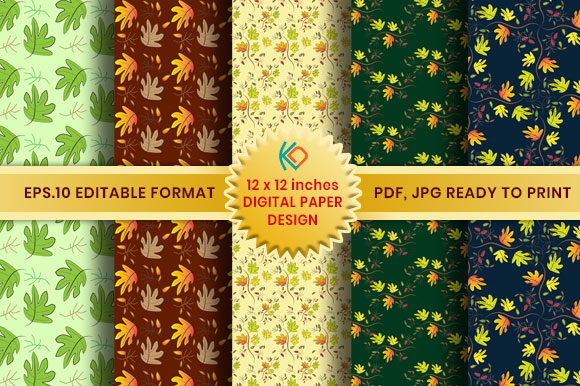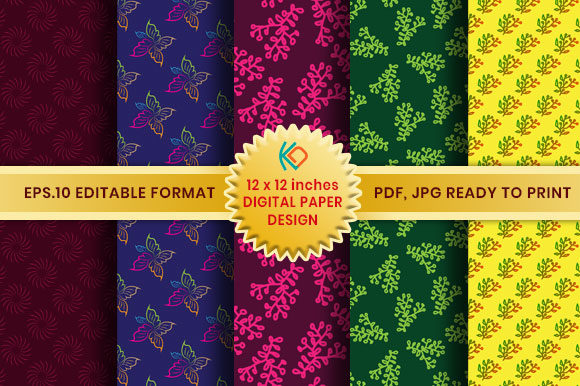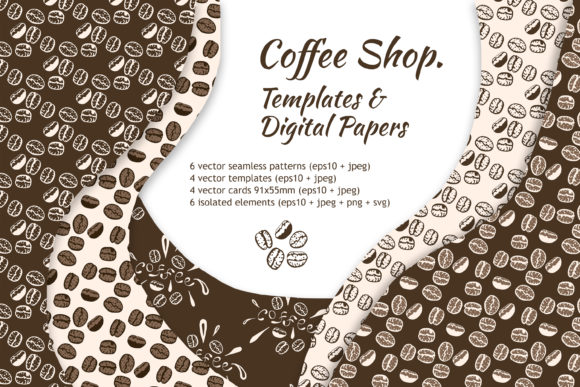
Master Digital Paper Design: The DPS Pattern Template Guide
Creating cohesive visual assets is a constant challenge for anyone managing a brand or running a creative business. You need backgrounds that don't distract, textures that add depth, and patterns that feel unique to your specific aesthetic. However, starting from a blank canvas every time is inefficient and often leads to inconsistent results. This is where a structured approach to asset creation becomes essential. Digital Paper Studio™ offers a solution that bridges the gap between raw creativity and professional output, providing a toolkit designed specifically for efficiency and customization.
Understanding the Core of Digital Paper Studio Pattern Templates
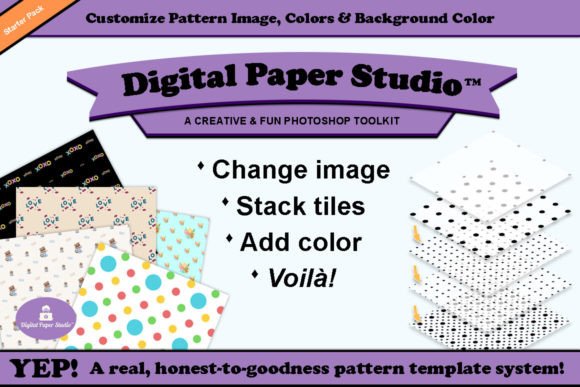
At its heart, this system is about control and repeatability. The Digital Paper Studio Pattern Templates are not just static images; they are dynamic frameworks built using Smart Objects in Photoshop. This means you can manipulate the core elements without degrading the file's quality or structure. The visual appeal lies in its versatility. You aren't locked into a single style. Instead, you have a foundation that supports everything from subtle, grainy textures for web design backgrounds to bold, geometric repeats for packaging design.
The personality of the output depends entirely on your input. If you are working on a rustic brand identity, you can load the templates with earthy tones and organic shapes. If you are a marketer working on a tech startup, you can use the same templates to create sharp, digital-looking grids. The system encourages a layered approach. You can stack patterns, adjust opacity, and blend modes to create depth that feels hand-crafted rather than generated. It is a tool for creating premium design assets that stand out in a crowded market.
Streamlining Your Creative Workflow
For entrepreneurs and small business owners, time is a finite resource. The drag-and-drop functionality of the DPS system is a practical response to this reality. You can take a simple silhouette shape—a leaf, a star, a custom logo mark—and turn it into a repeating pattern in minutes. The included instruction manual is crucial here, as it guides you through the nuances of tiling. A seamless tile is the difference between a professional background and an amateur one. These templates ensure that the edges align perfectly, removing the technical headache from the process.
The inclusion of both RGB and CMYK templates is a detail that demonstrates an understanding of professional needs. Designers know the frustration of creating a beautiful digital asset only to have it look muddy when printed. By providing templates optimized for both color spaces, DPS ensures that what you see on your screen translates accurately to scrapbook paper, physical stationery, or commercial print runs. This dual-format approach saves hours of color correction and proofing.
Practical Applications Across Industries
The utility of these templates extends far beyond the realm of digital scrapbooking. Consider the needs of a content creator or blogger. Consistency in visual branding is vital for recognition on platforms like Instagram or Pinterest. Using the Digital Paper Studio Pattern Templates, you can create a library of background textures that match your brand’s color palette perfectly. When you need a graphic for a new post, you don't need to search stock sites; you generate exactly what you need, ensuring your brand identity remains cohesive.
For those in editorial design and publishing, these tools offer a way to create chapter backgrounds, section dividers, or cover textures that feel intentional. Instead of using a generic stock texture that might appear on a competitor's book, you can assemble a unique pattern using your own imagery. This exclusivity adds value to the final product. Furthermore, the ability to layer multiple images means you can create complex, artistic compositions that serve as creative fonts of visual interest, drawing the reader's eye without overwhelming the text.
Designing for Commercial and Print Projects
When working on client projects, versatility is key. The expansion packs mentioned in the product description allow you to scale your library as your client base grows. A graphic designer specializing in packaging design will find immense value in the ability to generate custom patterns for product boxes, tissue paper, or shopping bags. The ability to mix and match tiles means you can create coordinating sets—primary patterns for the front of a package and simpler, secondary patterns for the sides—ensuring the entire unboxing experience feels unified.
It is also worth noting the importance of the included PNG files. While the PSD templates offer the most control, having ready-to-use PNGs is helpful for quick mockups or for use in non-Photoshop software. This flexibility accommodates different workflows and skill levels. Whether you are a seasoned professional comfortable with modern typography and layer management, or a hobbyist looking to make a simple birthday card, the kit scales to your ability.
Maximizing the Impact of Your Custom Textures
To get the most out of Digital Paper Studio Pattern Templates, think about the context of your final design. A pattern that works well as a background for social media graphics might be too busy for the background of a website with heavy text. In web design, subtle textures often work best to add warmth without hurting readability. By adjusting the color and scale within the templates, you can fine-tune the visual weight of the pattern to suit the specific application.
Consider the psychological impact of color and shape. The templates allow you to use word art or specific icons to create thematic patterns. For a wedding stationery business, this could mean creating soft, repeating patterns with floral motifs in pastel tones. For a fitness brand, it might mean using sharp angles and high-contrast colors. The tool provides the structure; your knowledge of your audience provides the direction. This combination is what allows you to produce work that resonates emotionally with your clients.
Building a Library of Unique Assets
One of the most significant advantages of this system is the ability to build a proprietary library of textures. Over time, as you experiment with different overlays and color combinations, you will accumulate a collection of backgrounds that are distinct to your style. This becomes a competitive advantage. When a client asks for a "vintage paper look" or a "modern geometric background," you don't need to buy a new asset; you simply open your library and tweak an existing template. This efficiency turns a creative tool into a business asset.
The instruction manual included in the starter pack is an underrated component. It likely contains tips on how to achieve the best results, such as how to handle the blending of multiple layers or how to ensure color consistency. Taking the time to read through these guidelines can accelerate your learning curve. It transforms the product from a simple set of files into a guided educational experience, helping you understand the principles of pattern creation.
Ultimately, Digital Paper Studio Pattern Templates serve as a bridge between imagination and execution. They provide the technical scaffolding needed to produce high-quality, custom digital papers without requiring advanced technical skills. For the designer, marketer, or crafter, this means more time spent on the creative vision and less time wrestling with the software. It is a practical, robust solution for anyone looking to elevate their visual content and establish a stronger, more consistent brand identity